Creating Workouts
Workouts are the core of Coachbox. You can create planned workouts for your athletes with detailed structure, metrics, and exportable formats for devices like Garmin and Wahoo.
Creating a workout
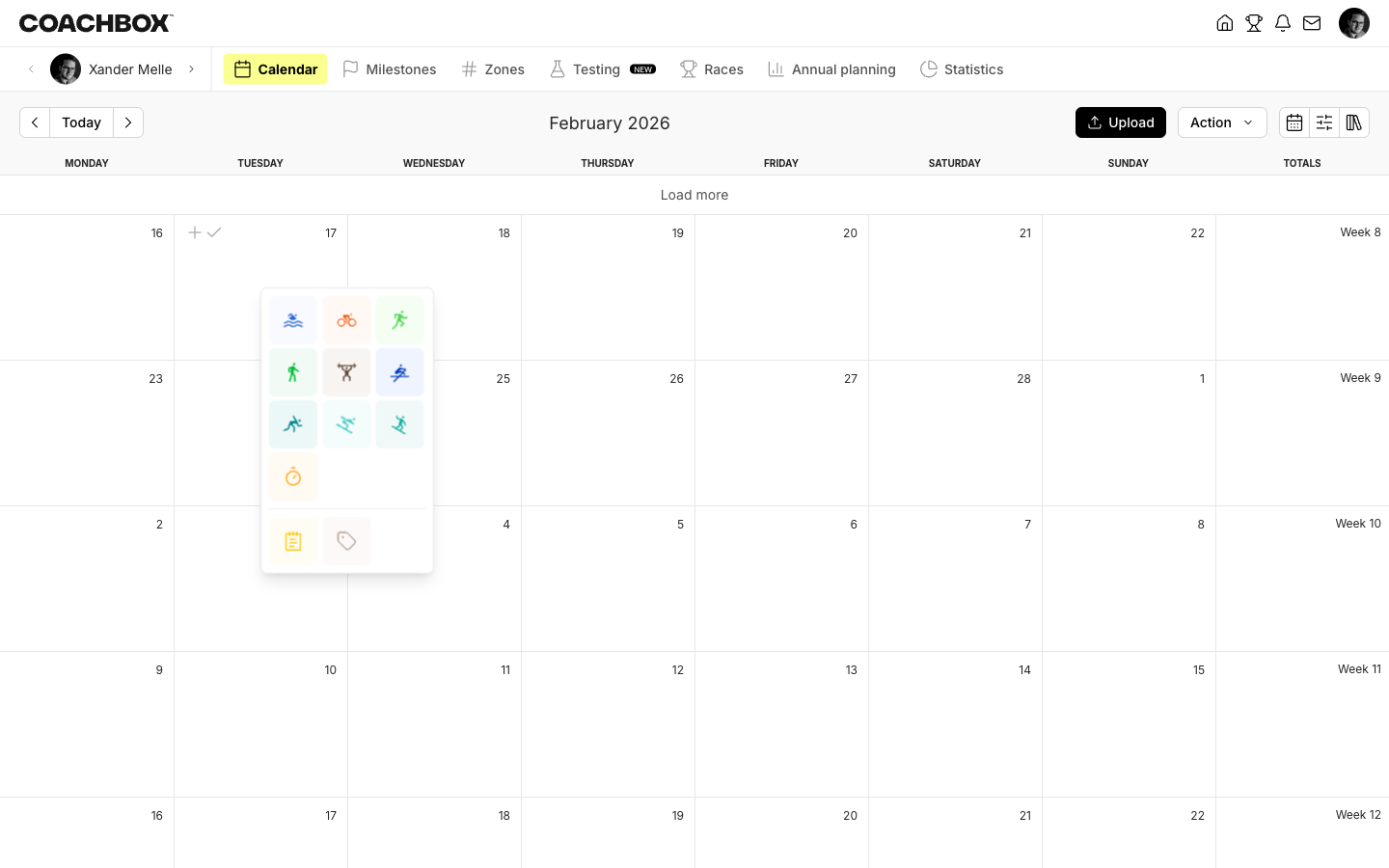
- Right-click on a day in the calendar, or use the calendar's + button
- Select the sport type (swimming, cycling, running, strength, etc.)
- The workout editor opens
Workout fields
Basic fields
- Title — A name for the workout
- Sport — The sport type (can be changed after creation)
- Category — Sub-category within the sport
- Date — The planned date
- Starting hour — Optional planned start time
Metrics
Depending on the sport, you can enter planned values for:
- Duration and Distance
- Average/max heart rate (bpm)
- Average/max power (W)
- Average/max speed or pace
- Cadence, elevation gain/loss, calories
- TSS (Training Stress Score) and IF (Intensity Factor)
- Coachbox Stress Score (proprietary metric)
Average speed and pace are automatically calculated from duration and distance when both are filled in.
Description
A rich text field where you can describe the workout in detail. Coaches see a separate athlete description field that controls what the athlete sees.
Structured workouts (segments)
For more detailed workout plans, you can add structured segments. Coachbox supports two types:
Free segments
Simple step-by-step workout structure with:
- Title — Name of the step (e.g., "Warm-up", "Intervals", "Cool-down")
- Duration or Distance — How long the step takes
- Description — Additional instructions
- Rest — Rest period after the step
For strength workouts, steps have additional fields: sets, set rest, reps, rep rest, weight, and video link.
Exportable segments
Structured workouts that can be exported to sports devices. These define precise targets for each interval:
- Step — A single interval with a target (power, heart rate, speed, or pace)
- Repetition — A repeating block of work + recovery steps
- Ramp — A progressive increase or decrease in effort
Each segment can target a specific zone, threshold percentage, or absolute value.
Exportable workouts can be exported as .fit files (Garmin, Wahoo) or .zwo files (Zwift). See Exportable Workouts for details.
Saving a workout
Click Save to save the workout to the calendar. The workout will appear on the planned date for the selected athlete.
Saving to library
You can save a workout to your library for reuse. This is especially useful for exportable workouts with complex interval structures. See Library for more information.
Good to know
- You can switch between the planned and executed tabs in the workout editor to compare what was planned versus what was actually performed.
- Multi-sport workouts (e.g., triathlon) are created by adding sub-workouts to a parent workout — they cannot be created directly from the sport picker.
- The visible metric fields can be customized per sport via the field configuration.