Removing Athletes
If an athlete is no longer part of your coaching program, you can disconnect them from your team.
How to remove an athlete
- Click on your profile picture in the top right corner
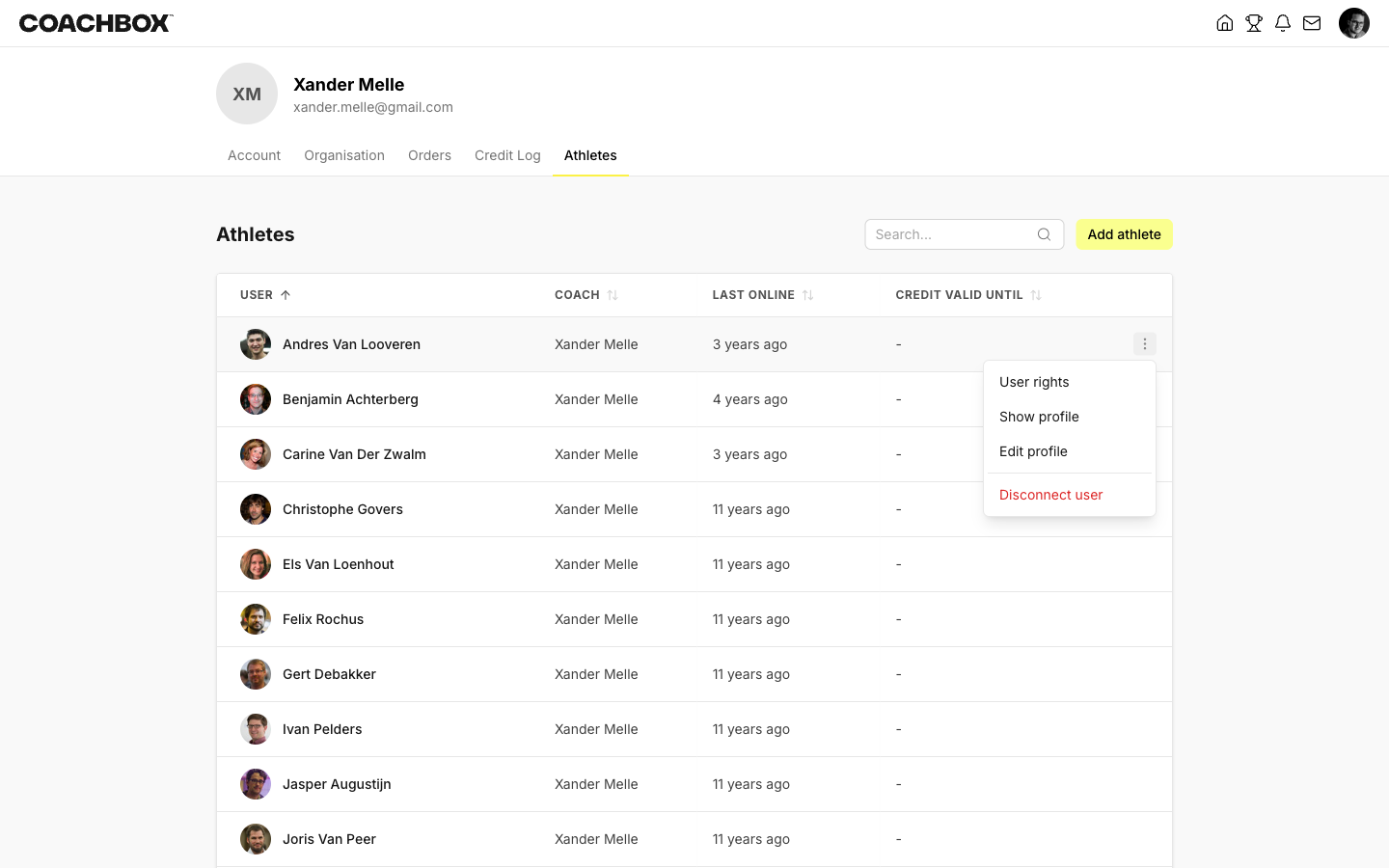
- Go to the Athletes tab
- Find the athlete you want to remove
- Click the ⋮ menu on the right side of the athlete's row
- Select Disconnect user
- Confirm the action in the dialog
The athlete will be removed from your team immediately.
Good to know
- Only team administrators can remove athletes. Regular coaches can view athlete profiles and manage settings, but cannot disconnect athletes from the team.
- Removing an athlete does not delete their Coachbox account. The athlete keeps their account and training history — they are simply unlinked from your team.
- If the athlete was invited but has not yet accepted, disconnecting them cancels the pending invitation.
- You cannot remove yourself from the team via this method.