Garmin
An exportable workout can be exported to several formats, including a .fit file specifically for Garmin devices. For more information on exportable workouts, click here.
How do I export a workout as a .fit file?
There are two ways to export a workout as a .fit file.
- Through the workout detail: Open the workout and in the "Planned workout" block, click the "Export" button on the right.
- Through the calendar: Right-click on a workout, and in the contextual menu the option "Export" will be available.
Then in the window that opened, click on the .fit option to download the file.
Note: If these buttons are not available, the workout was not formatted as an exportable workout or the content of the exportable workout is invalid (e.g., if no blocks were added yet)
How do I automatically send a .fit file to my Garmin?
To send an exportable workout to your Garmin device quickly and easily, you only need to click on the Garmin Connect icon at the top of the workout detail. This workout will now be automatically forwarded to your Garmin Connect and will be available on your Garmin device within the planned workouts.
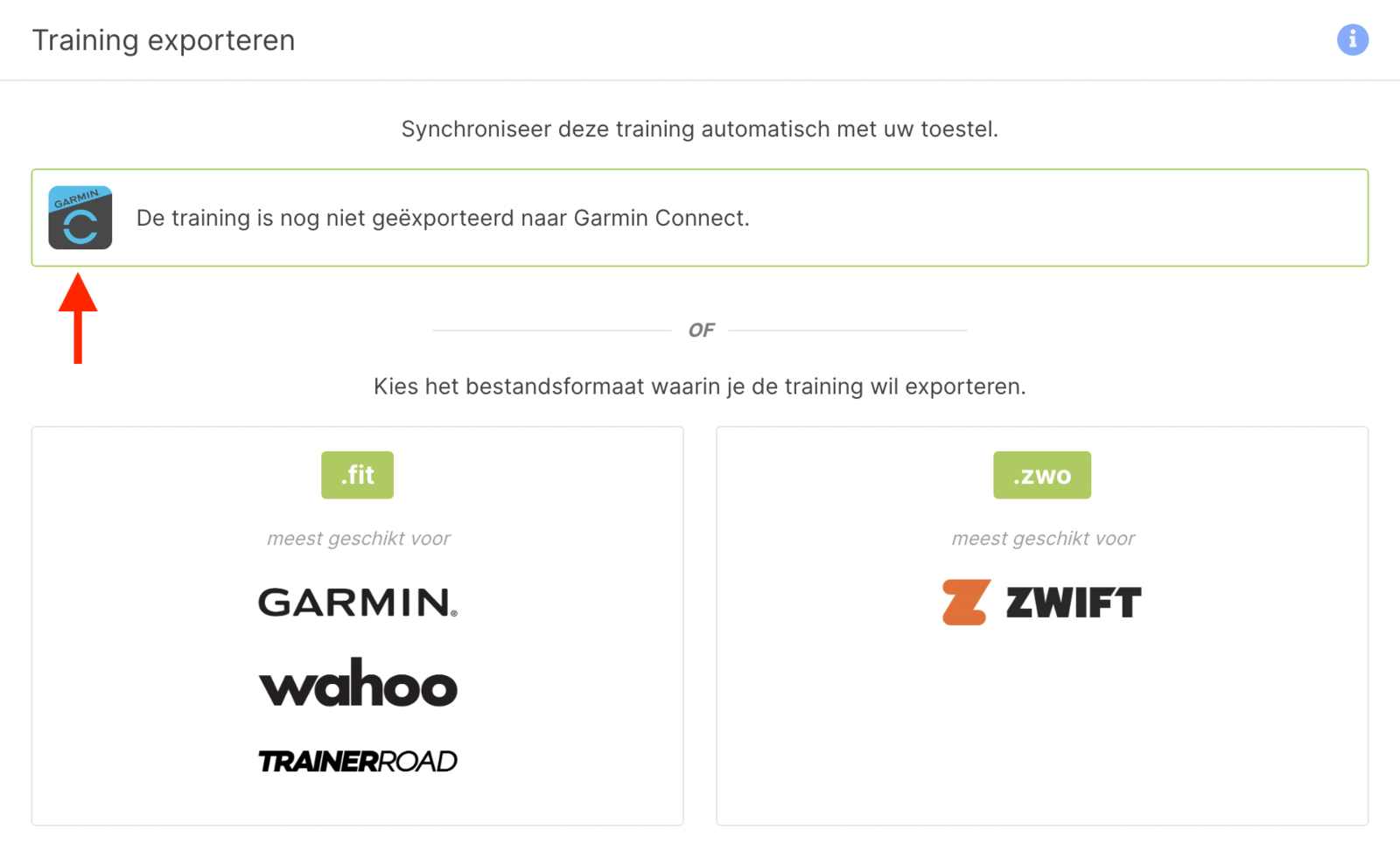
You can let this run fully automatically by turning on Automatically send planned workouts, see Set up synchronisation.
Importing your workout history from Garmin
When you connect Garmin Connect (see Setting up synchronisation), you can import your workout history from a start date of your choice. The import covers both your workouts and your health data (steps, sleep, HRV, weight); the health data only comes in when Garmin is your chosen source for daily metrics. The default start date is the past 6 months, but you can pick an earlier one: Garmin limits how far back the history goes, to about 5 years for workouts and 2 years for health data. Pick a start date beyond that limit and the import simply starts from it; you still get everything Garmin can deliver.
Turn on "Historical Data" when connecting
Garmin only shares your history if you give separate permission for it. On the Garmin Connect consent screen, next to the regular permissions, there is a Historical Data option, and it is off by default. If you leave it off, connecting appears to work fine, but Coachbox is not allowed to fetch your workout history: only workouts recorded after the moment of connecting will come in.
Already connected without that option? You do not need to reconnect. Turn it on in the Garmin Connect app via More → Settings → Connected Apps → Coachbox, or in your browser on the Garmin Connect Account Information page. You will find Coachbox there under your connected apps, in the Data shared from Garmin Connect to the Coachbox app section, next to the Activities and Daily Health Stats toggles:
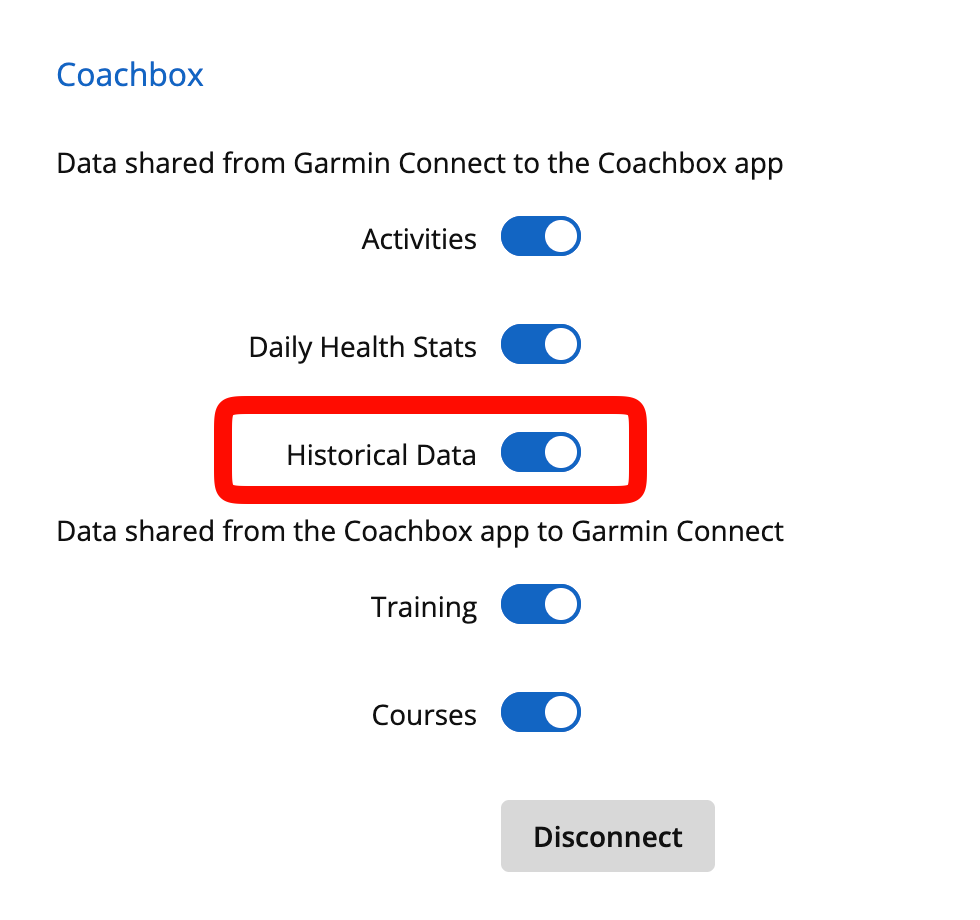
Enable Historical Data, then drop us a line at support@coachbox.app and we will restart the import of your history for you.
Health data from your Garmin
Your daily metrics and health data (steps, sleep, resting heart rate, HRV, ...) come in separately from your workouts. If you wear more than one device, you choose which device provides these metrics. Your Garmin health data not coming in while your workouts do sync? See Daily metrics.
Your RPE and feeling from your watch
After you save an activity, your Garmin can ask how you felt and how hard the effort was. If you answer on your watch, you do not have to repeat it in Coachbox: both scores come along with your workout automatically.
Two things to know:
- The numbers look different. Garmin uses a scale from 1 to 10, Coachbox uses the Borg scale from 6 to 20. We convert your score, so a 5 on your watch becomes 15 in Coachbox and a 10 becomes 20. It is the same effort.
- What you fill in yourself stays. If you already entered the RPE or feeling in Coachbox, your watch does not overwrite it.
Your watch does not ask on every sport and you can switch the questions off on the device. If you never see them, check the settings of that activity on your Garmin. Did you not answer on your watch? Then Coachbox still asks you on the workout itself.
How do I manually import a .fit file on my Garmin?
Through a Mac:
To put a .fit file on your Garmin via a Mac you first need to install the free 'Android File Transfer' program via this link on your computer.
After you have installed this program it will open automatically after you connect your Garmin device via USB to the computer.
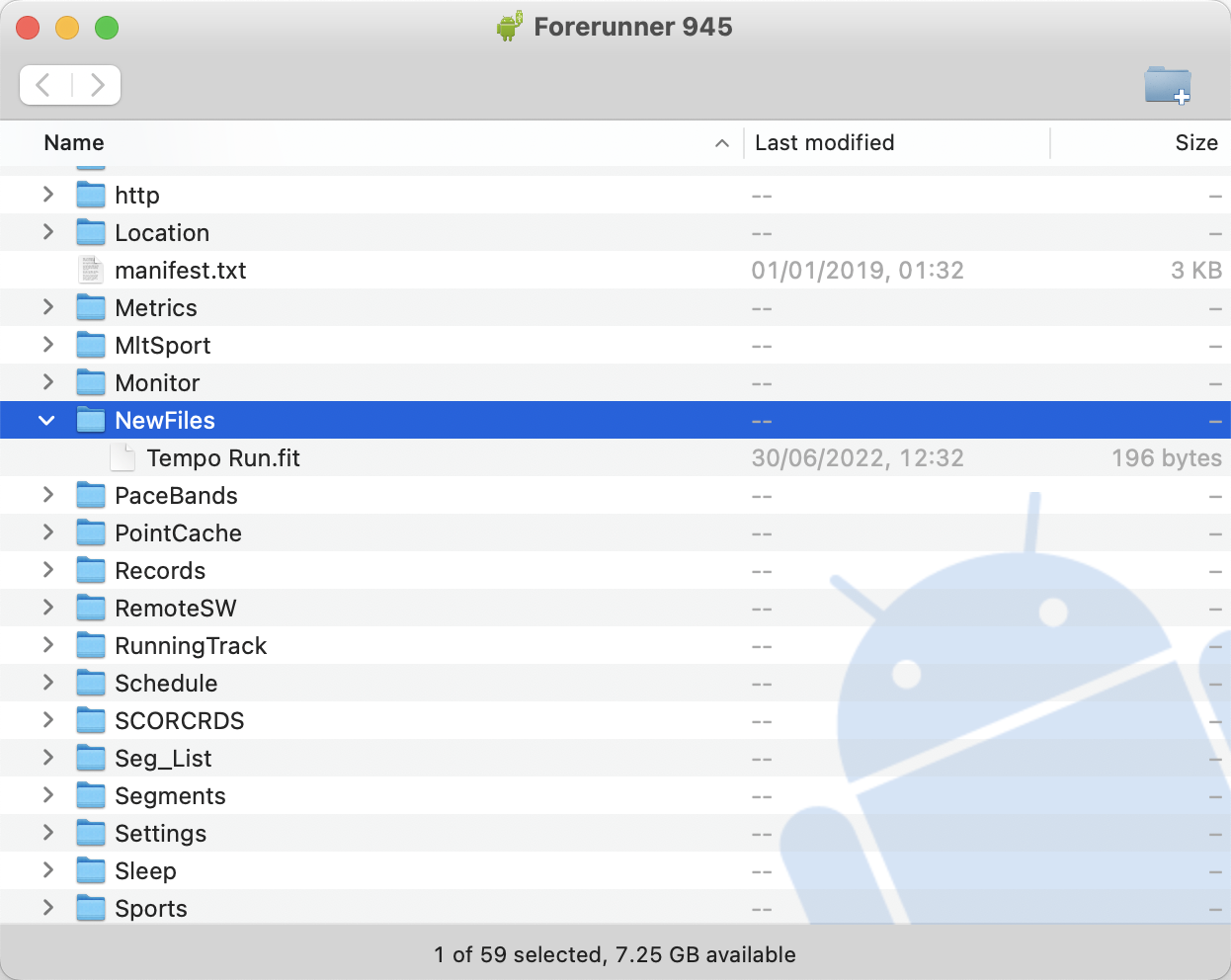
You can now drag the exported .fit file to the folder 'NewFiles' in the 'Android File Transfer' app. (See image below)
After you have disconnected the Garmin device from the computer, the planned workout will be found in your 'planned workouts' on the device! Select the planned workout and start the workout!
Via a PC:
To put a .fit file on your Garmin via a PC you need to connect the Garmin device to the computer via USB. Through Windows Explorer, you can find your Garmin device. Double click below your Garmin device on 'USB storage' to display all folders on the Garmin device.
You can now drag the exported .fit file to the folder 'NewFiles'. (see image below)
After disconnecting the Garmin device from the computer, the planned workout will be found in your 'planned workouts' on the device! Select the planned workout and start the workout!
Note: If you do not see the workout immediately, you may need to restart your device.